
UpScrolled
UpScrolledSocial
4.71.07K Reviews
- Version
- 1.5.0
- Installs
- 1.00M
- Age Rating
- Teen
Screenshots
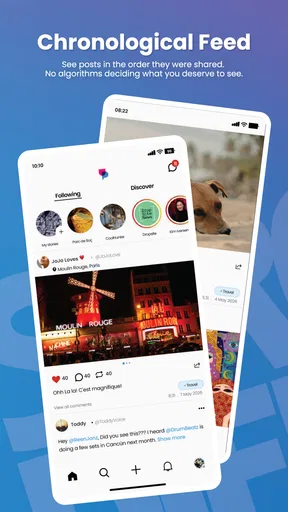
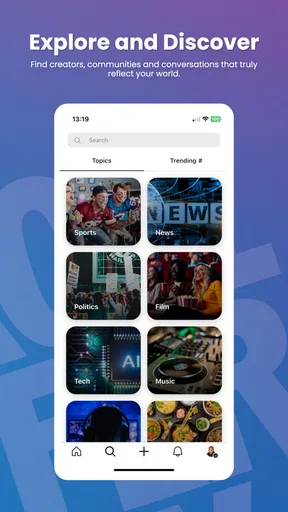
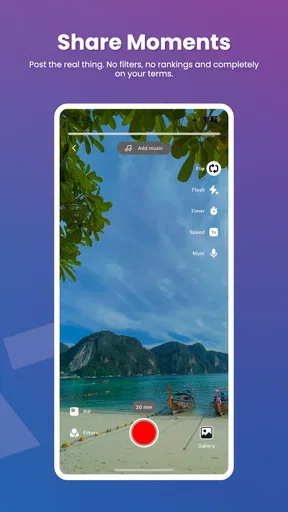
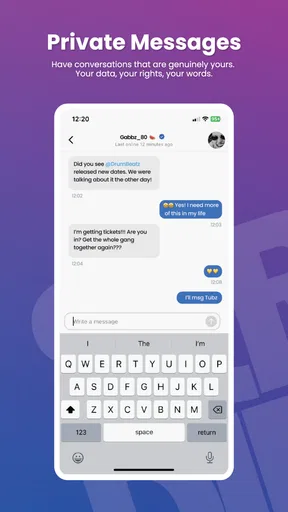
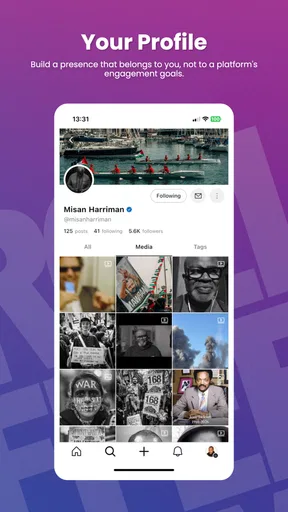
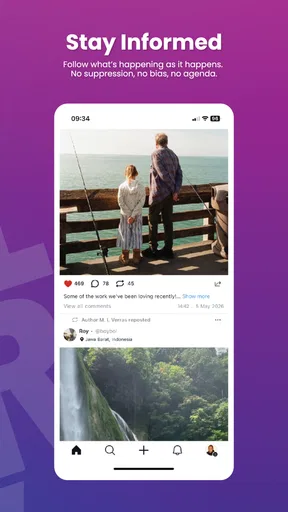

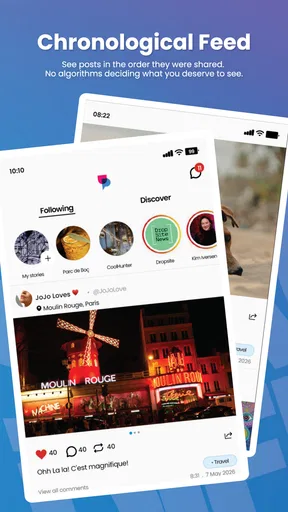
Our Review of UpScrolled
 Analysis by Appyee
On a shared tablet or a phone that gets passed around at home, a social app can quickly become more than one person’s feed. Someone may open it to catch up on a topic, while another person wants to post or follow a trend. That makes account boundaries and the kind of content that appears important, not just how quickly a feed loads. I see UpScrolled as an option for people who want a social space to express themselves and connect, but I’d treat it as a personal account rather than a household hub.
One device, different people
A realistic shared-device routine might be a parent checking a few posts during breakfast, then handing the tablet to a teenager who wants to browse. The practical first step is to make clear whose account is open before anyone starts interacting. A like, post, or follow can represent the signed-in person, so passing a device around without checking can create confusion even when everyone has good intentions.
For a household that shares one screen but keeps separate social identities, I’d use a simple handoff habit: finish your session, leave the app, and let the next person confirm they are using their own account. That is ordinary device hygiene rather than a special family feature, but it matters. If your goal is a single shared feed where everyone can contribute under one household identity, a personal social app may not be the cleanest fit.
Set expectations before browsing
UpScrolled is free, which makes trying it an easy decision, but free access does not mean every family member will want the same experience. Social browsing can lead from one interest to another, and a feed that suits one person may feel noisy or irrelevant to someone else. I’d have each person decide what they actually want from the app before investing time in setup: keeping up with interests, finding things to discuss, sharing their own posts, or simply seeing what is being talked about.
That small conversation also helps avoid treating a personalized feed as a complete or neutral picture of the world. If someone relies on social apps for news, I’d encourage them to follow up on important claims with a trusted source rather than assuming a trending post tells the whole story. A social feed can be useful for discovering what people are discussing; it should not automatically become the household’s sole source of information.
Coordination without making the feed a family group chat
There is a useful difference between discovering something together and coordinating plans. A person might spot a post about a local interest or a topic the family has been discussing, then bring it up over dinner. That can make browsing feel more social without expecting the app to replace direct messages, a calendar, or a household chat. I’d use the feed as a source of things to talk about, not as the place to manage who is picking someone up or what needs to be bought.
If the household wants to share a particular post, it is worth checking that everyone can view it and understands its context rather than assuming a brief excerpt tells the whole story. This is especially helpful when the item is controversial or emotionally charged. A social app can surface a conversation; people still need to do the work of communicating clearly outside the scroll.
Teen use and trust
The app is rated for teens, so it may be relevant to younger users, but an age label does not settle whether it suits a particular teenager. I’d consider maturity, comfort with public or social posting, and the young person’s ability to pause before sharing something personal. For parents, a calm conversation about what should stay private is more useful than assuming a rating alone handles every concern.
On a shared device, be especially careful about leaving an account open after browsing. A younger family member should know which profile they are using and that anything posted from it belongs to that account. I would not present UpScrolled as a parental-control tool or a substitute for family rules. It is better approached as a social app that calls for ordinary, age-appropriate guidance and trust.
Who will get more from it
I think it is a better match for someone who wants a place to express ideas and connect with other people than for someone looking for a quiet, purely private reading list. The developer is UpScrolled, and its store summary points toward social expression and connection. That positioning matters: if your priority is organizing household chores, managing appointments, or keeping a controlled collection of articles, a dedicated tool for that task will likely be less distracting.
The app has a 3.9 average from around 21,000 ratings, with more than 1 million installs. Those figures suggest it has found an audience, but they do not tell me whether its current community will match your interests. I’d judge that by trying it for the topics and people you care about, rather than expecting popularity alone to guarantee a good personal feed.
Getting Started with UpScrolled
Installing UpScrolled is a breeze. Whether you're on Android or iOS, the app is available for free on both platforms. Once you've got it downloaded, setting it up is straightforward. The app asks you to select your interests from a wide range of categories – think tech, fashion, sports, and even quirky niches like DIY projects or indie films. The idea is to tailor your feed to show only the content that truly matters to you.
After setting up your preferences, it's time to dive into the interface. The design is clean and intuitive, which I appreciate. No unnecessary clutter or ads popping up everywhere. Just a sleek, user-friendly layout that makes navigation a breeze. The main screen is divided into sections based on your chosen interests, which makes it super easy to jump between topics.
Features that Stand Out
One of the standout features of UpScrolled is its ability to aggregate content from multiple sources. This means you're not just getting posts from your usual social media sites; you're also seeing blog posts, news articles, and even video content from across the internet. It's like having a personalized magazine that constantly updates itself with the freshest content.
The app also includes a nifty bookmarking feature. Found an article you want to read later? Just tap the bookmark icon, and it'll be saved for you to revisit whenever you have time. This is perfect for those moments when you're commuting or just need to quickly skim through content.
Another cool feature is the "Trending Now" section. It highlights what's hot in real-time, giving you a snapshot of the latest buzz. This is especially handy if you like staying in the loop with current events or trending topics without having to sift through endless feeds.
Making the feed work for you
Interest-based sections are most useful when you treat them as starting points, not a finished recommendation system. I’d begin with the subjects I genuinely want to follow, then notice which sections I keep opening and which ones I skip. That gives me a practical way to decide whether my initial choices were too broad. If a topic is important but hard to find, adjusting preferences is more useful than repeatedly scrolling past unrelated material and hoping the feed changes by itself.
There is also a small workflow advantage in separating discovery from reading. When I come across an article or video while I’m busy, bookmarking it lets me defer the decision rather than opening several tabs and losing track of what I meant to read. I’d still be selective: a saved list can become another backlog if I bookmark every interesting item. A quick review of saved posts during a quiet moment helps keep the feature useful instead of turning it into a second feed to clear.
Trending content serves a different purpose from a tailored interest section. It can help me notice a subject that is being discussed broadly, but popularity is not the same as relevance or reliability. I’d use it for discovery, then decide whether the topic deserves more attention. If I only want updates from a small set of specific people or sources, a conventional following-based feed may feel more predictable than a trend-oriented view.
Where it differs from familiar social apps
Compared with a typical social network centered on posts from friends and accounts you follow, UpScrolled is presented as a broader social experience. Its appeal is the combination of connecting and expressing yourself with browsing interest-led material, including content from across the internet. That can be a better fit when I want to move between subjects without building a separate routine around several sites. It is less compelling if I mainly want to keep up with a close circle or need a carefully ordered feed of updates from people I already know.
Compared with a dedicated news reader, the social element is the important trade-off. A news app is usually the more direct choice when the task is to scan publications and organize reading. Here, browsing can feel more open-ended, which is enjoyable when I have time to explore but less efficient when I need one specific answer quickly. I would choose based on the session I want: social discovery and conversation, or focused reading with minimal detours.
My Personal Take
Now, let's get real. No app is perfect, and while UpScrolled has a lot going for it, there are a couple of things that might not sit well with everyone. For instance, the initial setup can be a bit time-consuming if you're someone who has a wide array of interests. However, once it's set up, the payoff is worth it.
Additionally, while the app does an excellent job of curating content, there's always the potential for missing out on niche or lesser-known topics. But, hey, that's where the customization options come into play. You can always tweak your preferences to fine-tune what you see.
Everyday use and practical limits
One everyday situation where I can see it fitting is a short break between errands. I might open an interest section, spot a piece worth reading later, save it, and move on instead of letting a quick check turn into a long session. That approach works best if I decide what I came to do before opening the app. If I start browsing without a purpose, trending items and adjacent interests can easily pull me into a longer visit than I planned.
Another sensible use is finding a conversation starter for a group of friends or family members who share an interest. I would bring the post to the conversation rather than assume everyone is on the same service or sees the same feed. That distinction makes the app a useful discovery companion, not a coordination system. If your main need is guaranteed, direct communication with specific people, a messaging app remains the more reliable choice.
The main friction I’d watch for is the balance between broad discovery and precision. A wide set of interests can make the feed feel varied, but it also takes more effort to tune; a narrow set can feel focused while missing adjacent subjects you might enjoy. I’d adjust one or two interests at a time so I can tell what changed, instead of constantly rebuilding the whole selection. That is a simple way to make personalization feel intentional rather than like guesswork.
The app is free and currently at version 1.4.1, with a minimum OS requirement of 8.0. It is rated Teen, and it has 934 written reviews alongside its ratings. For a prospective user, those details are useful context, but I would still make the decision around fit: whether the social side, the topics, and the way you prefer to browse suit your routine. A younger user should also be ready to follow the same thoughtful boundaries around identity and sharing that apply to other social platforms.
Final Thoughts
Overall, I've found UpScrolled to be a refreshing change from the usual social media grind. It's an app that understands the need for quality over quantity, serving up content that's relevant and engaging. If you're tired of mindless scrolling and want an app that respects your time and interests, give UpScrolled a try. It's like having a smart assistant that knows exactly what you want to see, without the noise.
So, next time you find yourself lost in an endless feed, remember that there's an app out there ready to change the game. And who knows? You might just find your new favorite way to stay informed and entertained. Happy scrolling!
My household verdict
For a household, I’d recommend trying it when one person wants an individual social feed and the family is comfortable keeping accounts distinct on shared devices. I would not choose it as a common family dashboard, a private reading archive, or a substitute for direct coordination. Those jobs call for tools designed around shared lists, focused reading, or dependable person-to-person communication.
As a social app, UpScrolled is most appealing when I want to explore interests, notice what is being discussed, and decide what deserves a closer look. It still asks me to set boundaries around time, account use, and what I trust enough to share. If that sounds like a fair trade for a more exploratory way to browse and connect, it is worth seeing whether its community feels right for you; if not, a more focused or familiar alternative may better fit the way you use your phone.
Verdict
Strengths of UpScrolled
- Intuitive user interface design.
- Seamless integration with social media.
- Offers customizable notifications.
- Supports multiple file formats.
- Fast and responsive performance.
Limitations of UpScrolled
- Limited offline functionality.
- Occasional minor bugs.
- Requires frequent updates.
- Ads can be intrusive at times.
- Subscription needed for premium features.
Similar Picks in This Category
View All
Meta Platforms, Inc.4.6

Instagram4.0

Likee-Live, Chat & Party Games
Likeme Pte. Ltd.4.4

Facebook Lite
Meta Platforms, Inc.4.5

TikTok - Videos, Shop & LIVE
TikTok Pte. Ltd.4.0

Moj: Free Short Drama & Reels
ShareChat4.1
Frequently Asked Questions
What is UpScrolled and how does it work?
UpScrolled is a cutting-edge app designed to enhance your digital reading experience by allowing users to scroll through content effortlessly. It uses a unique algorithm to adjust the scrolling speed based on user preferences, making reading lengthy articles or documents smoother and less tiring. The app supports multiple file formats and integrates easily with popular web browsers.
Is UpScrolled compatible with all devices?
UpScrolled is compatible with both Android and iOS devices, ensuring a seamless experience across smartphones and tablets. The app requires Android 5.0 or later and iOS 11.0 or later. It is optimized for performance on both operating systems, allowing users to take full advantage of its features regardless of their device type.
Does UpScrolled offer any customization options?
Yes, UpScrolled provides a variety of customization options to enhance user experience. You can adjust the scrolling speed, change the background color, and select different font styles and sizes. These features allow users to personalize their reading environment to suit their preferences, making it more comfortable and efficient.
Are there any in-app purchases or subscription fees?
While UpScrolled is free to download, it offers a premium version through in-app purchases. The premium version unlocks additional features such as ad-free browsing, advanced customization options, and priority customer support. Users can choose a monthly or yearly subscription plan, depending on their needs.
How does UpScrolled handle user privacy and data security?
UpScrolled is committed to user privacy and data security. The app does not collect personal data without user consent and employs encryption to protect any information processed through it. Users can review the privacy policy within the app to understand what data is collected and how it is used, ensuring transparency and security.
